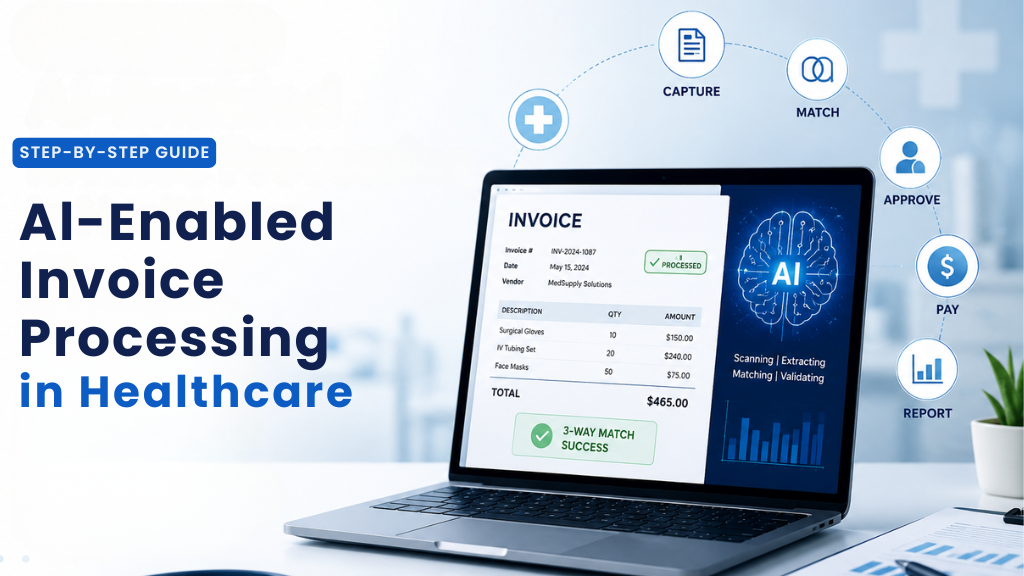
Introduction
Healthcare organizations process thousands of invoices every month, from medical suppliers and pharmaceutical vendors to facility services and equipment leases. For most, this remains a largely manual, error-prone, and costly process.
The challenge is not just volume. It is complexity. Healthcare AP teams deal with multiple invoice formats, multi-vendor contracts, strict compliance requirements, and approval chains that were never designed for speed. The result is delayed payments, missed discounts, duplicate errors, and finance staff spending their best hours on work that should not require human attention at all.
AI-enabled invoice processing changes that. This guide walks through exactly how it works, step by step.
Why Healthcare Invoice Processing Is Uniquely Difficult
Unlike invoices in retail or manufacturing, healthcare invoices carry additional weight. They touch regulatory compliance, vendor certification requirements, and in many cases, CMS billing rules. A mismatch is not just a financial inconvenience. It can trigger an audit.
Add to that the sheer variety of formats, paper documents, email PDFs, EDI feeds, and vendor portals, and you have a process that resists standardization. Most AP teams have built workarounds over the years, but workarounds do not scale. AI does.
Step 1: Intelligent Invoice Capture and Ingestion
The process begins the moment an invoice arrives. AI-powered ingestion pulls from every channel, email attachments, scanned paper, vendor portals, and EDI feeds, and normalizes them into a single processing queue.
Optical Character Recognition (OCR) combined with Natural Language Processing (NLP) extracts the structured data: vendor name, invoice number, date, line items, totals, tax codes, and purchase order references. For healthcare organizations specifically, the AI is trained on medical supply terminology, DME codes, drug SKUs, and facility service categories, reducing the misclassification that generic tools produce.
Step 2: Automated 3-Way Matching
Once data is extracted, it is automatically matched against the corresponding Purchase Order and Goods Receipt in your ERP system. This is called 3-way matching, and traditionally it is one of the most time-consuming manual tasks in AP.
AI handles this in real time. Discrepancies like price variances, quantity mismatches, or missing PO references are flagged the moment they appear. Invoices that match cleanly move forward to payment scheduling without any human review needed, freeing your team from routine verification entirely.
Step 3: Exception Detection and Intelligent Triage
Not every invoice will match cleanly, and that is expected. What changes with AI is how exceptions are handled.
Rather than landing every discrepancy in the same queue at the same priority, the AI categorizes and ranks them. A minor variance on a recurring supply order is treated differently from a significant discrepancy on a capital equipment invoice. Each exception is routed to the right approver with full context and a suggested resolution already attached, reducing the time spent on investigation considerably.
Over time, the model also learns patterns. If a specific vendor consistently invoices slightly above PO price due to freight charges, the system learns to approve within a defined tolerance automatically.
Step 4: Approval Workflow Automation
Invoices that require human sign-off are routed digitally based on business rules you define: invoice amount, department, vendor type, contract category, or GL code. Approvers receive all relevant information in one place, the invoice image, the matched PO, and any flagged items, accessible on desktop or mobile.
Every action taken is recorded in a complete audit log. Approvals, rejections, comments, and escalations all have timestamps and are stored permanently, giving your finance leadership and any external auditor a clean, reliable trail.
Step 5: Payment Optimization and Scheduling
Once an invoice is approved, AI analyzes it against your payment terms, available early-pay discount windows, and cash flow position to recommend the optimal payment timing. For healthcare organizations managing tight operating margins, consistently capturing early payment discounts adds up meaningfully over a fiscal year.
Duplicate payment detection also runs continuously, cross-referencing invoice numbers, amounts, and vendor IDs against your payment history before any disbursement goes out.
Step 6: Compliance Monitoring and Reporting
The process does not end at payment. AI continues to monitor invoices for compliance signals including vendor certification status, contract expiration, spending thresholds, and applicable regulatory requirements.
Finance leaders gain live visibility into AP performance without waiting for end-of-month reports. Exception rates, processing times, and discount capture metrics are available in real time, replacing manual reporting that previously consumed significant staff time.
What This Means for Your Team
The goal is not to remove people from the process. It is to redirect their expertise. When routine matching and data entry are handled automatically, your AP staff shift into higher-value roles: managing vendor relationships, reviewing genuine exceptions, and contributing to financial strategy rather than processing paperwork.
For senior living and LTPAC organizations in particular, this kind of automation creates visible, measurable wins for finance leadership while building the organizational readiness for broader AI adoption.
Ready to Take the Next Step?
NuAIg helps senior living and healthcare providers map, prioritize, and implement intelligent automation across finance and operations.